
Motto Mortgage is a mortgage lending company with a nationwide network of offices across the United States. Its website supports users in finding nearby offices and accessing essential information during the decision-making process.
The Problem
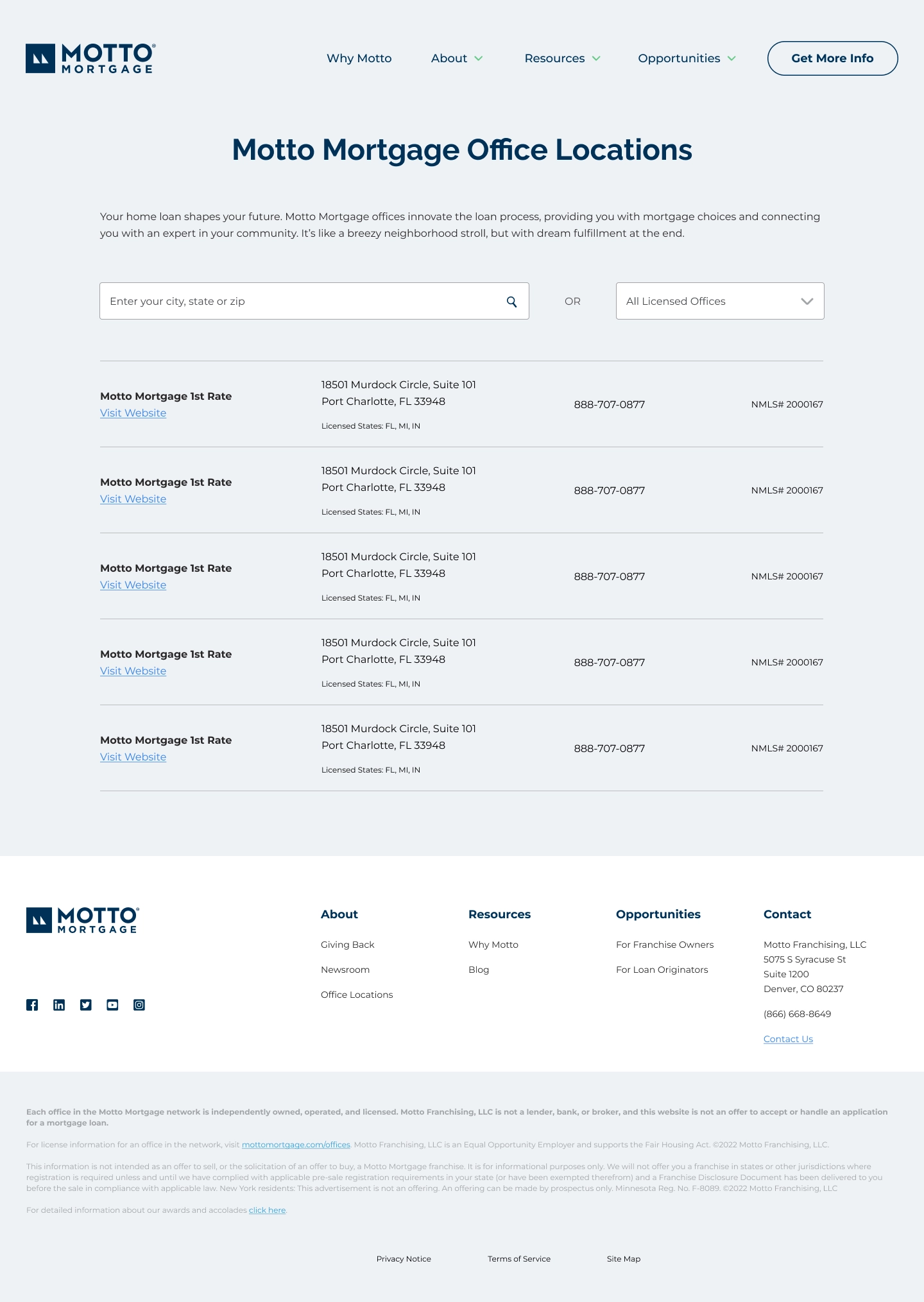
The office search experience relied on a list-based interface that required users to leave the page to view locations on a map, creating unnecessary friction and breaking the navigation flow. The challenge was to improve usability and clarity when searching for office addresses, making location information easier to understand, faster to access, and more context-aware.
Goals
- →Integrate an interactive map directly into the search page
- →Display office locations with map pins for better spatial understanding
- →Enhance the results list with real-time office status based on operating hours
- →Reduce page exits and support faster decision-making
My Role
- →Designing a solution to improve the office search experience while working as a UX/UI Designer at Matilha Estúdio
- →Integrating an interactive map directly into the search page
- →Enhancing the results list with real-time office status based on operating hours
- →Improving the overall flow to reduce page exits
Process
- 1. Reviewing existing experience and identifying friction points
- 2. Competitive analysis of office and store locator patterns
- 3. Mobile-first wireframing and prototyping
- 4. Stakeholder review and iteration
Key Solutions
Integrated Map & List View
The redesigned experience connected list and map views in a single interface, allowing users to quickly locate offices, understand their availability, and access relevant information without leaving the page. The solution reduced friction in the search process and delivered a clearer, more intuitive location experience.
Impact & Outcome
- ✦Reduced friction in the office search process
- ✦Users can locate offices and check availability without leaving the page
- ✦Clearer, more intuitive location experience for prospective clients
Learnings
Map-based UX is most effective when it removes the need to context-switch. Connecting the list and map into a single view let users stay focused on their goal — finding a nearby office — without extra navigation.