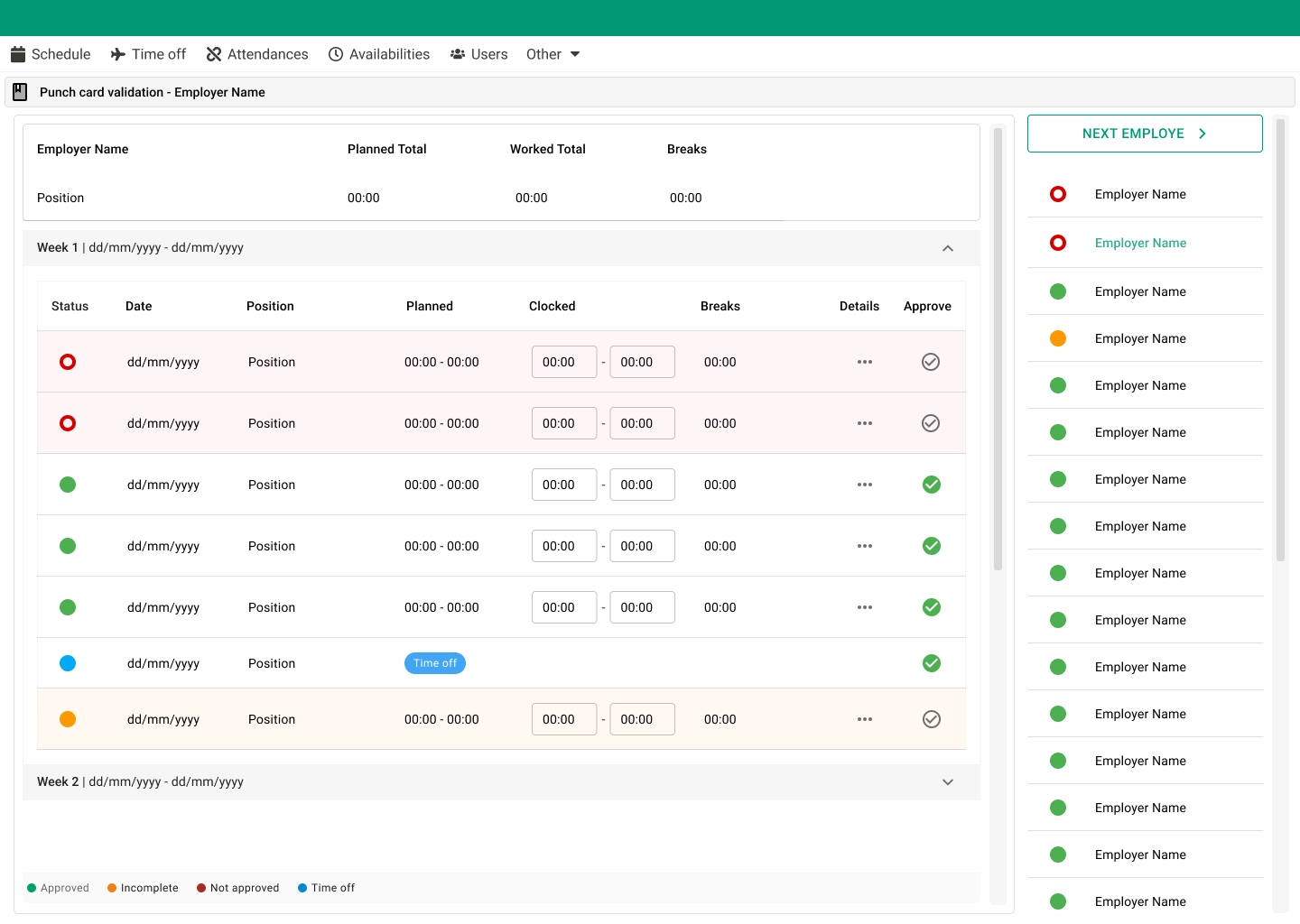
This case focuses on features designed to optimize repetitive administrative tasks, reducing manual effort and improving efficiency for managers working with large volumes of data.
The Problem
Managers were required to apply changes one item at a time — whether adjusting wage premiums or editing punch cards and projects. This manual process was time-consuming, error-prone, and inefficient at scale.
Goals
- →Reduce repetitive manual actions
- →Enable bulk operations across multiple items
- →Improve efficiency and accuracy
- →Support scalable workforce management
My Role
- →UX/UI design for automation flows
- →Improving complex form interactions
- →Optimizing UI for bulk actions
- →Collaborating closely with developers on constraints
Process
- 1. Identifying top repetitive workflows through user analysis
- 2. Mapping the logic and conditions for automation rules
- 3. Designing bulk selection and editing patterns
- 4. Iterating on form interactions for complex data
- 5. Aligning solutions with technical feasibility
Key Solutions
Wage Premiums Automation
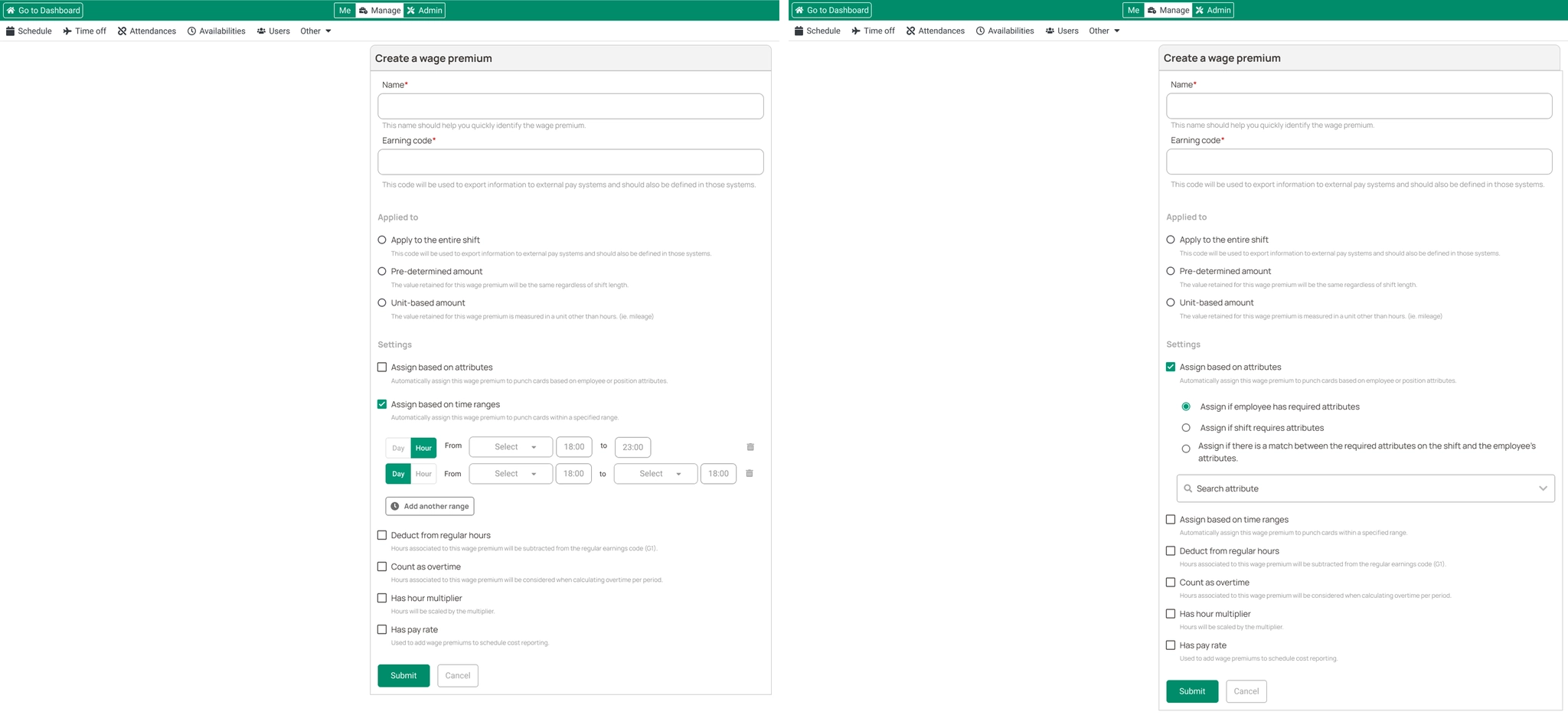
I redesigned the wage premium creation flow, enabling automated application of premiums to shifts and punch records. This reduced manual configuration and made complex rules easier to understand and manage.
Bulk Editions — Punch Cards & Projects
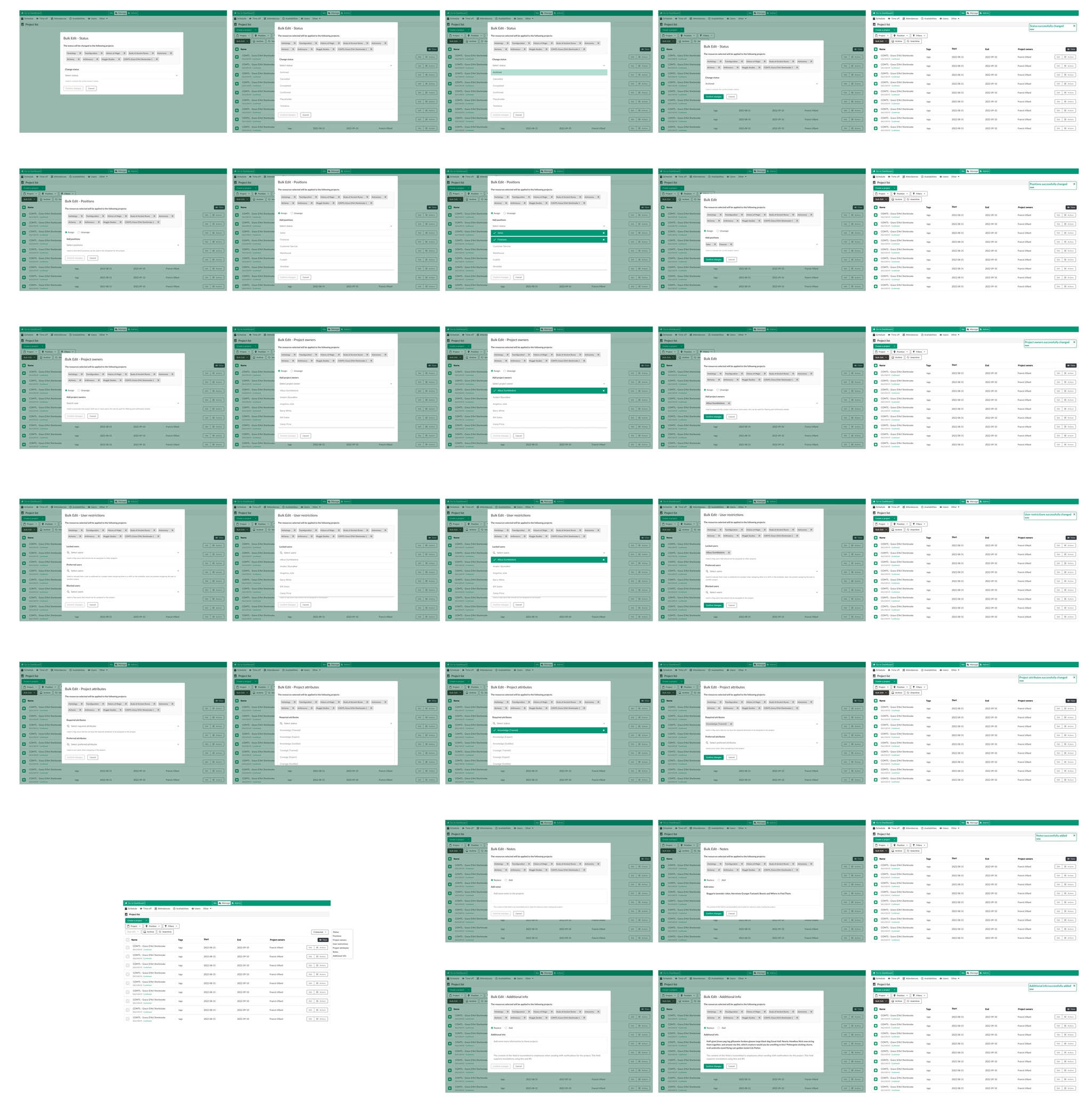
I optimized the UI to allow bulk editing of multiple shifts, punch cards, and projects at once. This change significantly reduced the time managers spent managing payroll-related data, replacing one-by-one edits with efficient bulk actions.
Impact & Outcome
- ✦Significant reduction in repetitive manual work
- ✦Faster management of shifts and payroll data
- ✦Improved efficiency for operational teams
- ✦Better scalability for growing organizations
Learnings
Designing automation features requires balancing power and simplicity. Clear UI patterns and well-structured flows are essential when users manage complex data at scale.